
Get Paid
Thursday is our weekly payday…. This will compensate you for all hours worked through the previous Sunday.
1. Your weekly earnings will be deposited directly into your account by Alliance Industrial Solutions weekly on Thursday. To view your paystubs or W2s, you will need to log into your ADP Workforce Now account.
Please note that registration information will be emailed to you after the start of that assignment from ADP. Complete the registration process and be sure to save your user ID and password for login purposes.
2. Except where required by state law, we do not mail weekly pay stubs or W2s. Employees are responsible for finding these on ADP Workforce Now.
3. Any questions can be emailed to our payroll department at payroll@mytalentlaunch.com
Instructions to view Paystubs & W2s using the ADP Mobile APP:
1. Download the ADP APP for your Mobile Device.


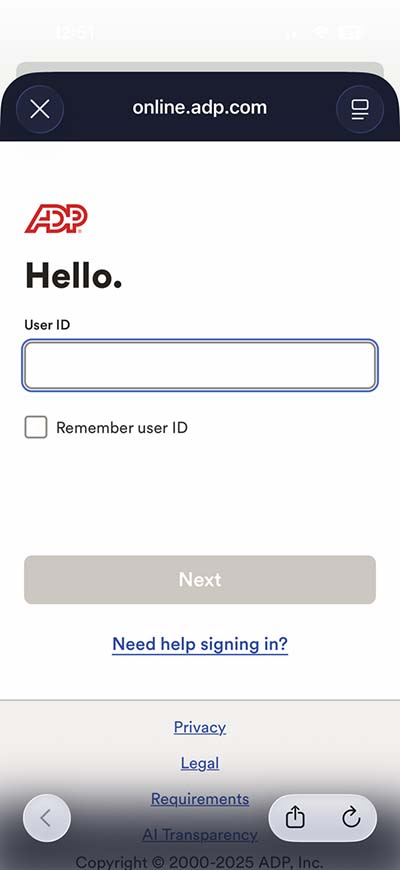
2. LOG IN to ADP using your user ID and password.
Registration information would have been emailed to you from ADP after the start of an assignment. If you completed the registration process, use the user ID and password for login purposes on ADP.
VIEWING PAY STATEMENTS:
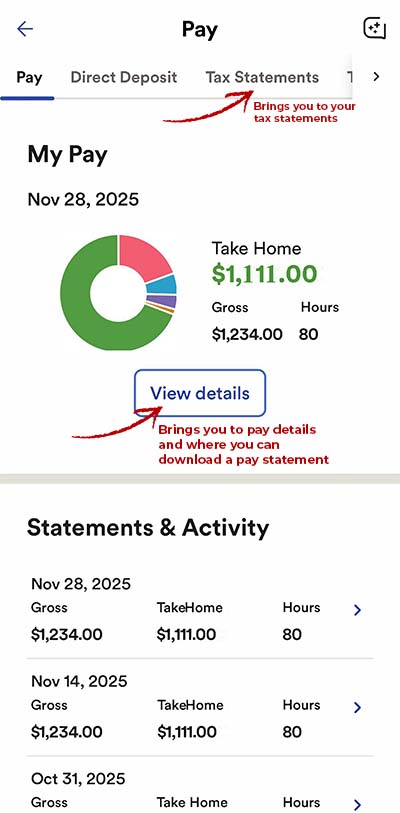
3. Select the PAY from the menu options. This will bring you to your pay activity.

4. From this screen, you can:
-
-
- Select VIEW DETAILS to see deductions and download pay statements. You can also select from a list of older pay periods at the bottom.
- Select TAX STATEMENTS (at the top) to view your tax forms (if available).
-
5. Once you are in the View Details screen, select VIEW STATEMENT to bring up the document.
Note: Saving options for the statement will vary based on your mobile device.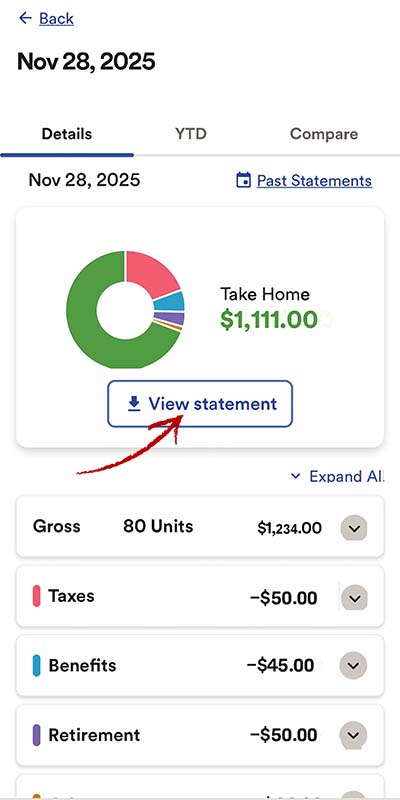
VIEWING TAX STATEMENTS:
6. From the Home screen, swipe the top menu items to find the TAX option and click it.
Note: You can also select TAX STATEMENTS from the top menu of your pay details screen, as shown in step 4 above.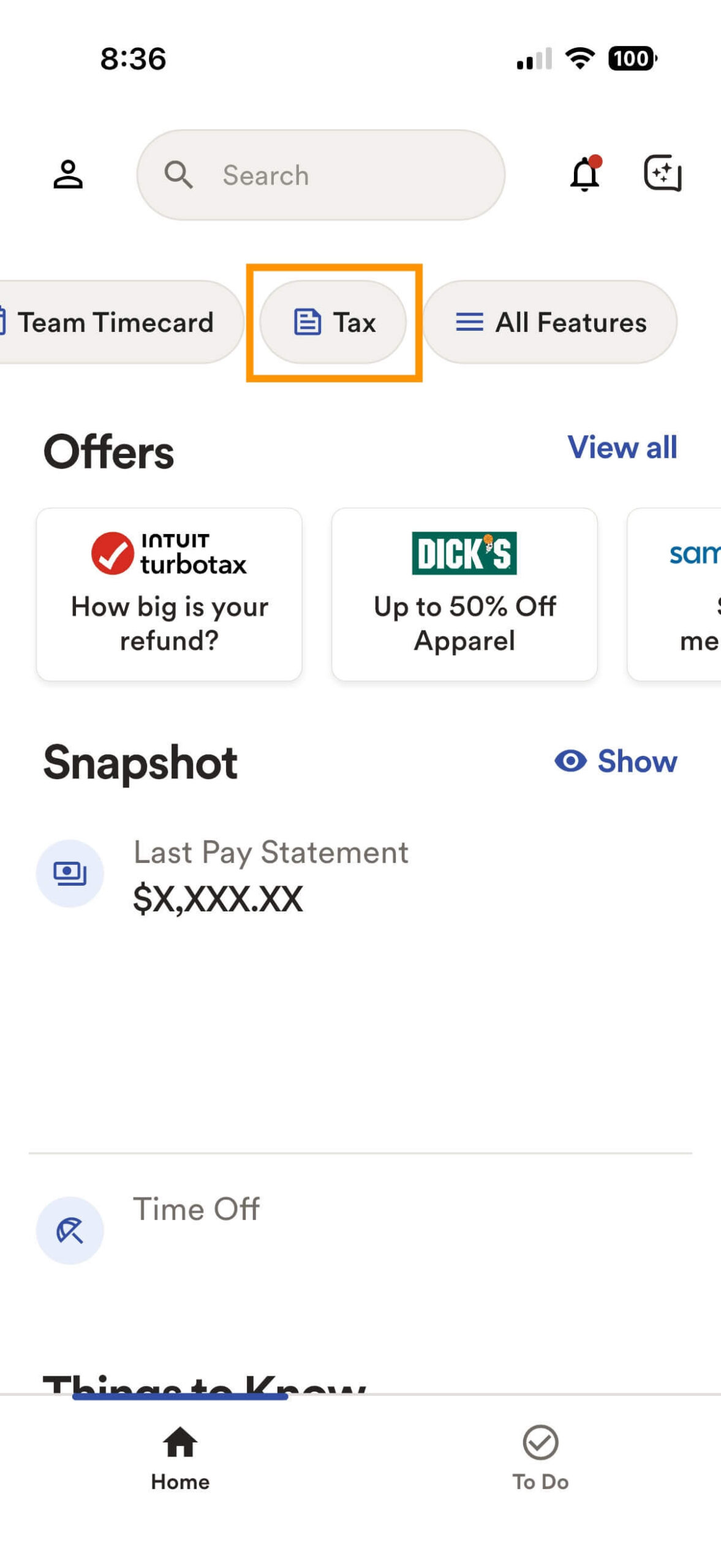
7. Click the VIEW button next to the tax year you wish to view a statement for. This will bring up your Tax Statement for the selected year.
Note: Download and print options for the statement will vary based on your mobile device.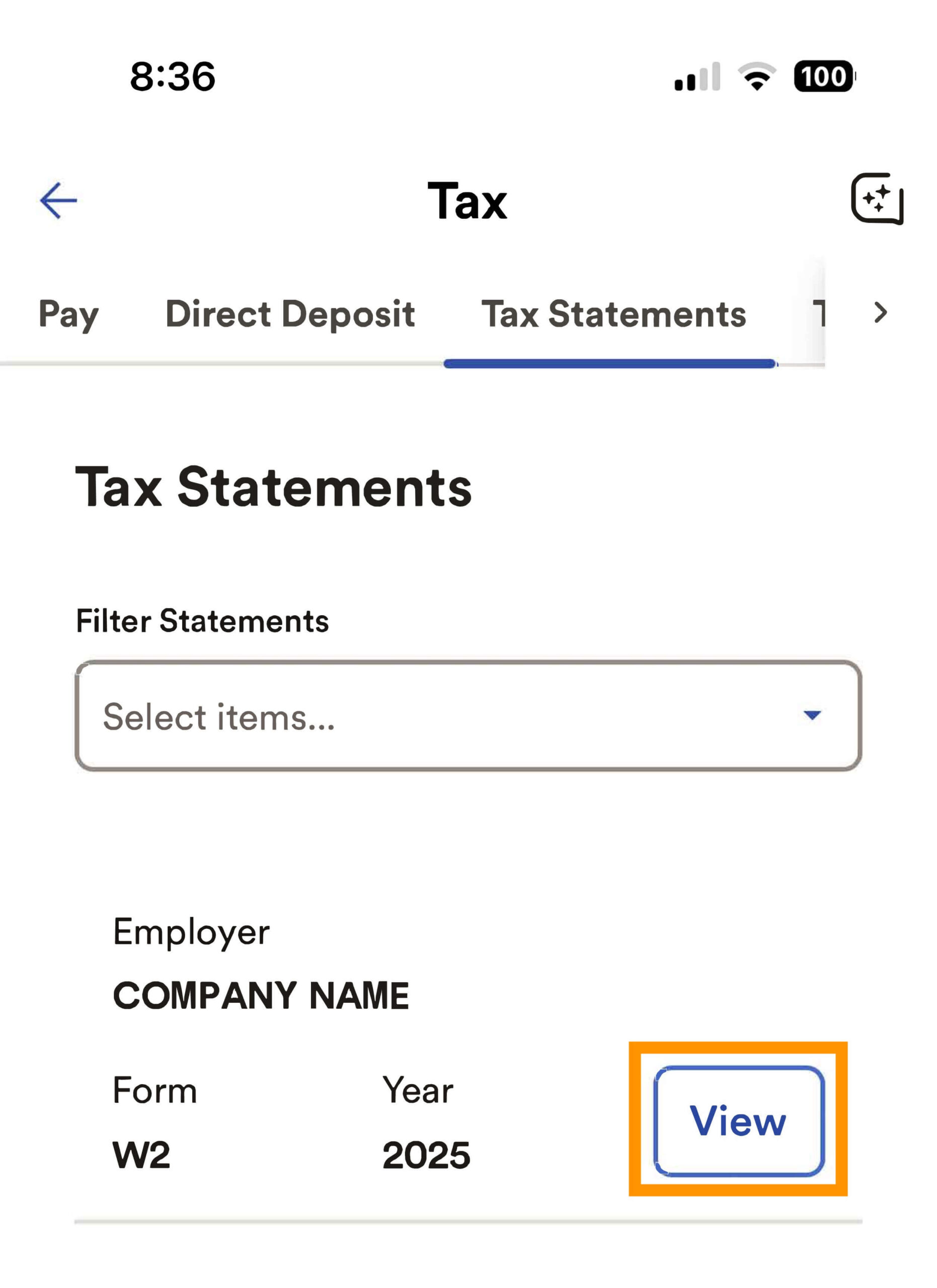
Your W-2 will be available by January 31 for the previous year.
Questions or issues? CLICK HERE to contact us.
Instructions to view Paystubs & W2s on Desktop:
1. Login to ADP (https://workforcenow.adp.com/) using your user ID and password.
Registration information would have been emailed to you from ADP after the start of an assignment. If you completed the registration process, use the user ID and password for login purposes on ADP.
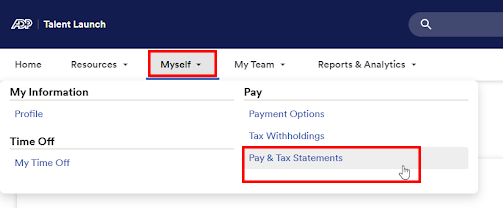
2. Click on MYSELF from the menu options. Then click on PAY & TAX STATEMENTS to find your paystubs and W2s.
3. On this screen you can review your pay details and deductions for weeks paid. Be sure to click on SHOW in order to see pay details (they are hidden by default as shown below).
4. If you need to download a PDF pay statement, click on VIEW STATEMENT and download from there.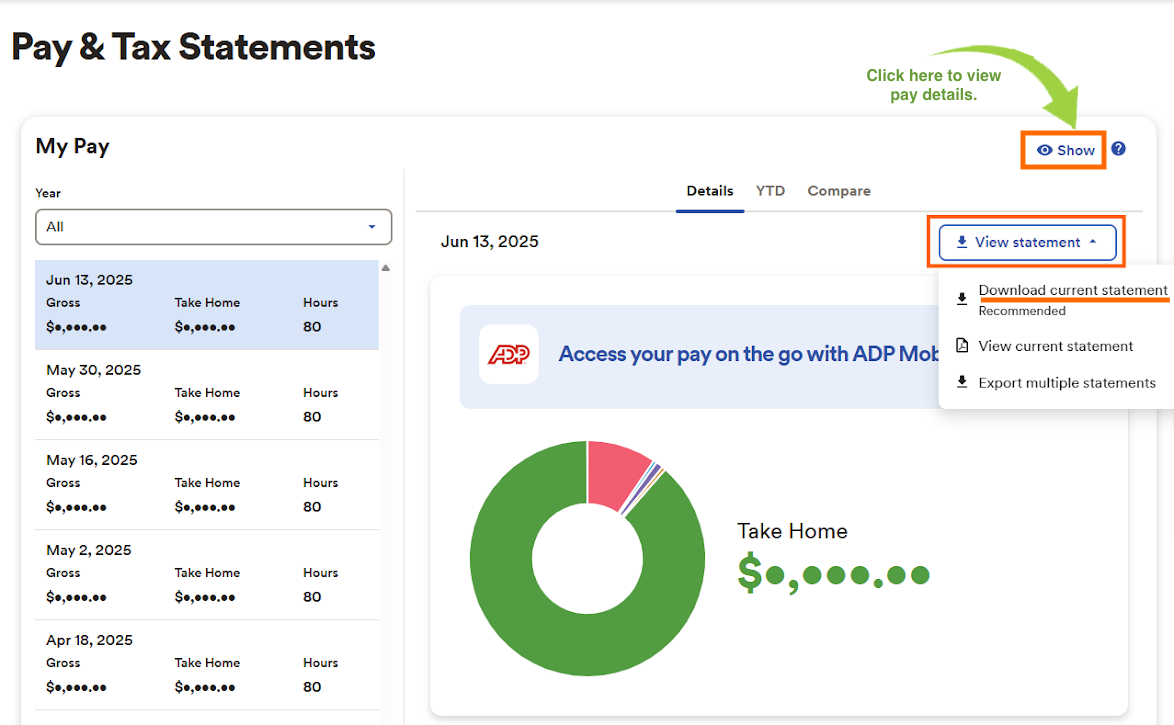
5. If you need to view or download TAX STATEMENTS, there will be a box either below your MY PAY weekly earnings details or to the right of those details (depending on the width of your monitor).
6. Select the tax year you want to view a statement for via the arrow toggle. Then click VIEW STATEMENT. 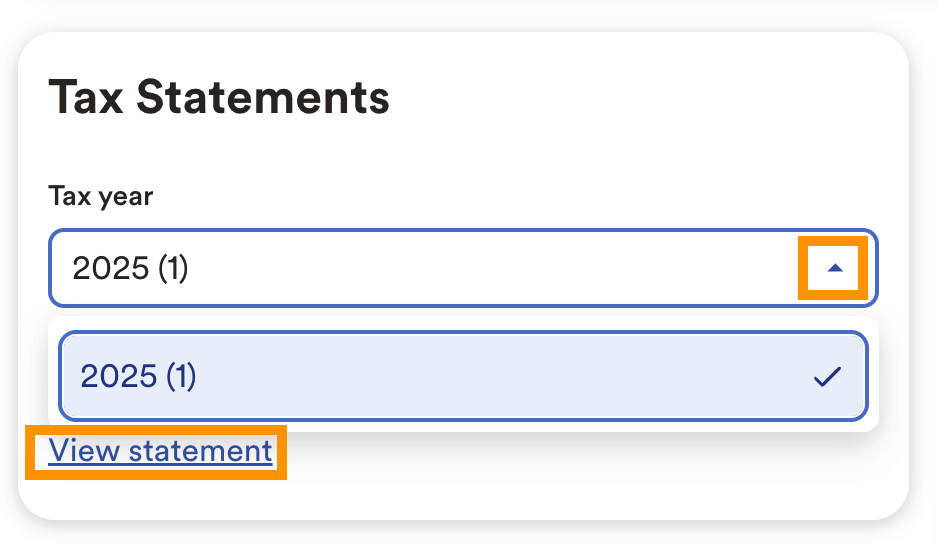
7. You should be prompted at a Security Checkpoint. Select your preferred delivery option to obtain a security code.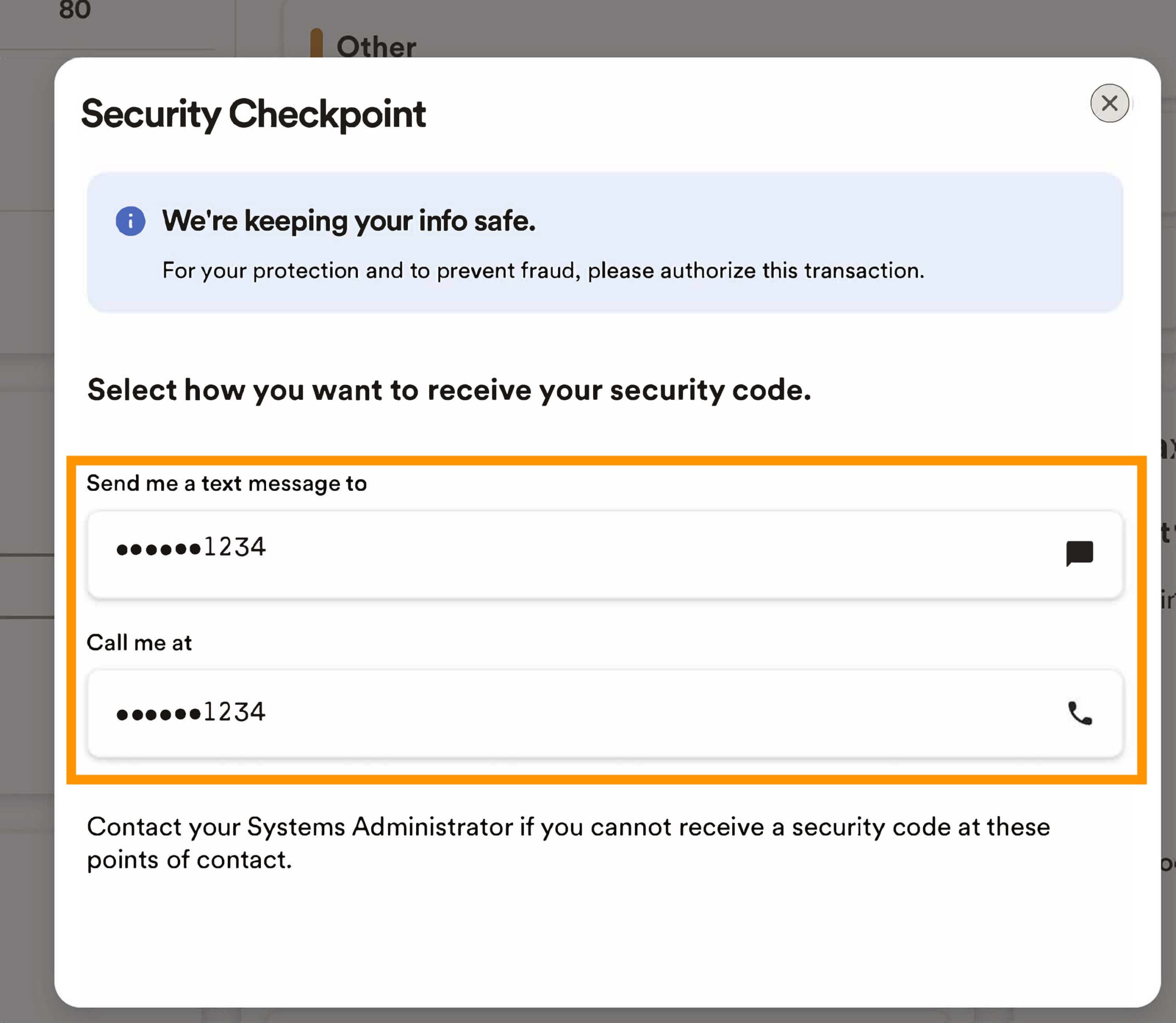
8. ENTER THE SECURITY CODE number you were sent and click SUBMIT CODE.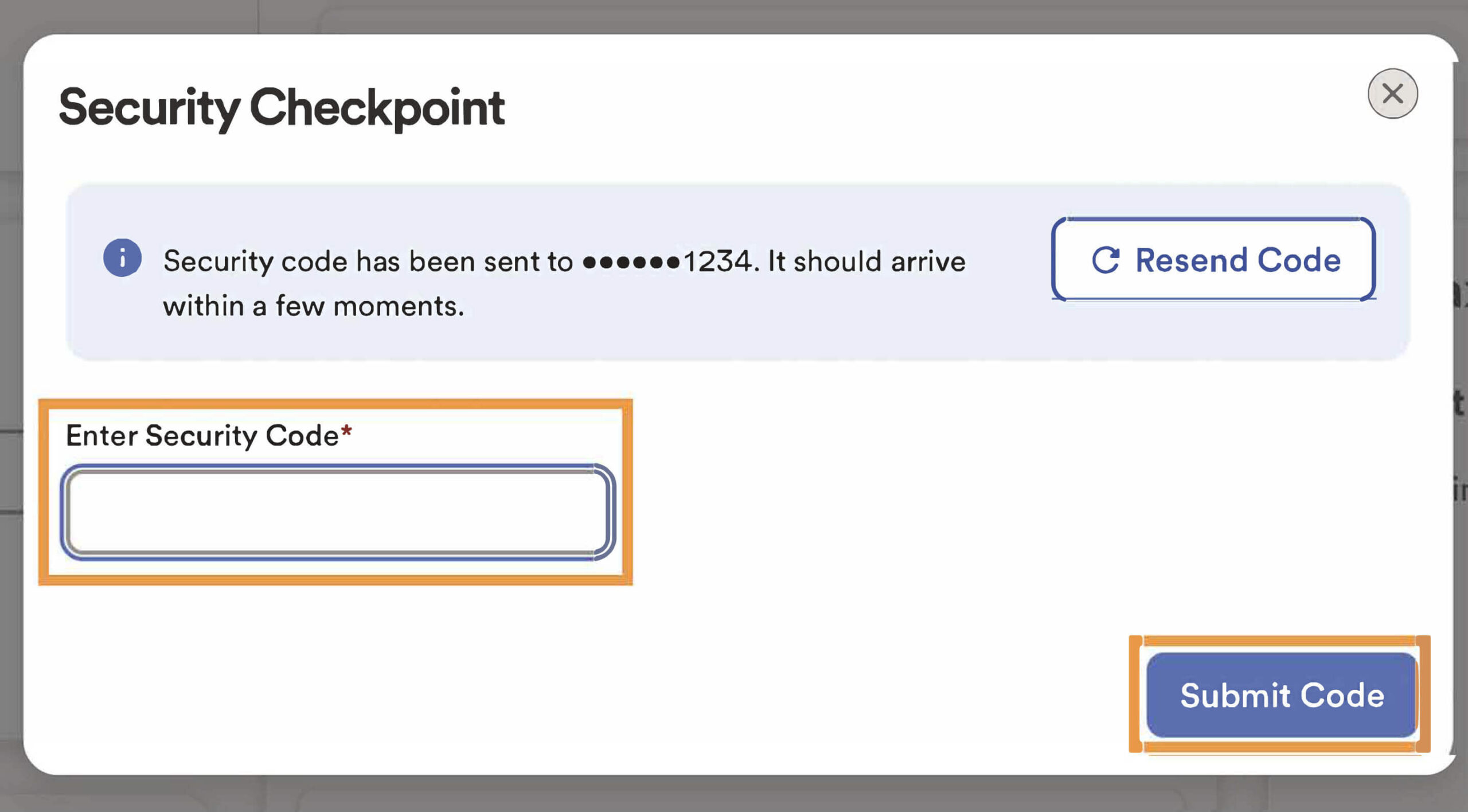
9. Your Tax Statement will now pop up to review. To PRINT OR DOWNLOAD, CLICK THE BUTTONS at the top of the statement details.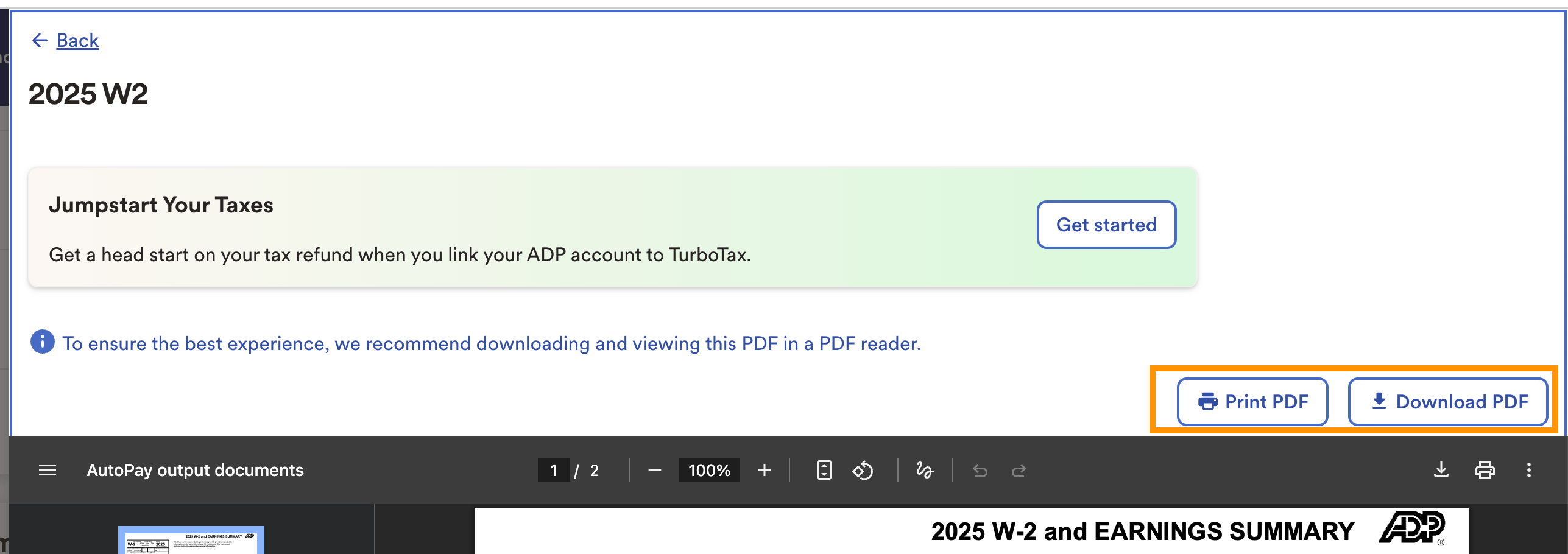
Your W-2 will be available by January 31 for the previous year.
Questions or issues? CLICK HERE to contact us.
Need Your 1095-C Tax Form?
Pursuant to IRS regulations, employers are no longer required to automatically furnish Form 1095-C. Alliance Industrial Solutions will not mail or electronically distribute Form 1095-C unless a request is made.
Employees and former employees may request a copy of their Form 1095-C by emailing hr@mytalentlaunch.com. Requests will be fulfilled within the timeframe permitted by IRS guidelines.
Your W-2 will be available by January 31 for the previous year.
W2 questions? Issues accessing your W2?
Fill out the form below and someone from our team will be in touch.